
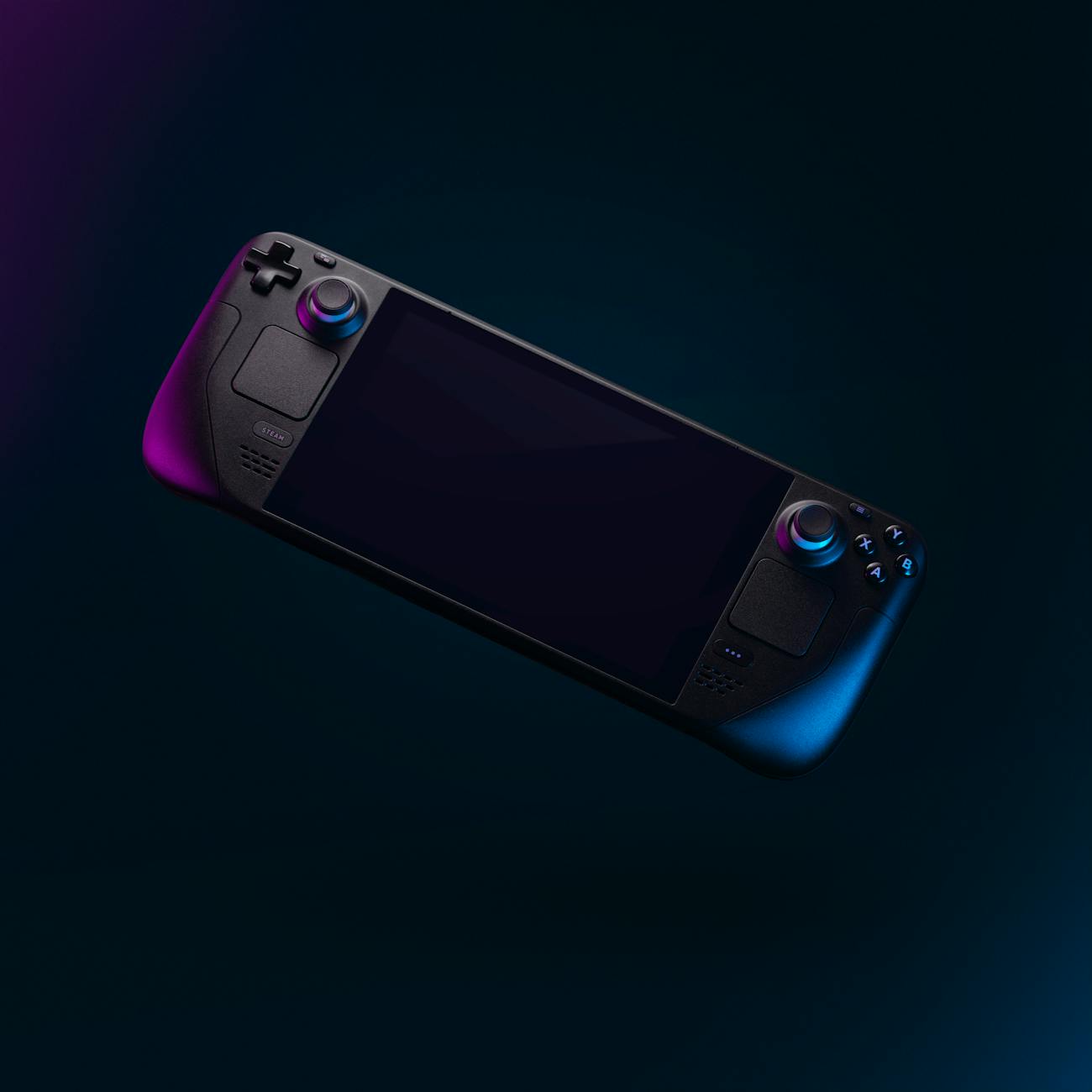
So you may, or may not, be interested. How did I land on the Steam Deck? Stay a while, and listen.
I didn’t approach this completely blind. I’ve used a few handhelds in the past. I sunk a good chunk of time into my Gameboy Advance as a kid. Although, I never did finish that play-through of Golden Sun. FOR SHAME. I dabbled a little with my brother’s PSP, Nintendo DS and later 3DS. I did buy my own Nintendo DSi XL along with an R4 card, that was a great time. But none of these went the distance.
It then took me two Nintendo Switches before I realised that the console was just not for me. The Switch does pretty well with what it has but its just not quite it for me. I did actually quite enjoy the classic libraries that came with the Expansion Pack. There is also a decent library of older PC games which have been ported and run brilliantly. But ultimately, it just wasn’t quite the right device for me especially in terms of the greater game library.
An in-between device I used, surprisingly, was an iPad Pro. There’s a decent amount of native games available, a la Civilization 6 amongst others. ScummVM is also in the app store now for that adventure game fix. But the tool that makes it a really good option is Moonlight. Moonlight transforms iPadOS into a powerful portable gaming system. Well, depending on your home computer anyway. I was running a PC with integrated graphics. But that was more than enough to deliver my dream of portable Fallout 1 and 2. I’ve since sold my iPad, the Steam Deck replaced it.
Moving on to Android, I gave the Ayn Odin Pro a crack. I thoroughly enjoyed this device and it was powerful enough to get me through for a while. I even modded it with hall effect sticks and PlayStation style buttons. Check it out below!

It was a good handheld. One knock on it though, I found good native Android games to be pretty few and far between. I gotta say, COD: Mobile was a blast though. The Odin Pro was also a beast for compact, portable game-streaming. It doesn’t suit everything. Streaming NHL from my Xbox at the time was tough. The physical controls are just a bit too small. Emulation is really where the Odin Pro really shined. It did kinda tap out before the higher-end PS2 games. Heavy tweaking of settings was sometimes required. So, there were some concessions to be made. Basically all the older game systems ran perfectly, which suited me. There’s also a couple of neat ports that are available on the Play Store, fo2.exe was an easy way to play the older Fallout games on the go. There is a Half-Life 2 port – and it plays so well. There’s also a sweet port of Return to Castle Wolfenstein. There are plenty more, but these few stood out for me. It was a nostalgia-heavy device for me, but it’s days were certainly numbered.

I’ve used Steam since 2004. This was when Half-Life 2 came out and the Steam interface was green. I was in the beta when it was first being released on Mac. I have a fairly large library of games built up over years of bundles and sales. The Steam Deck is the obvious choice for me. I went with the Steam Deck OLED 512gb option and added an SD card.
I was drawn in by a lot of things. The design may look uncomfortable at first glance. However, I find it quite logical. It fits well in the hand without having to stretch to different parts of the device. Next up: the trackpads. At one point I nearly convinced myself that I didn’t need them at all and set my sights on the ROG Ally. I’m really glad I didn’t go that route. I legitimately use these things all the time. I use them for adventure games, RTS games, game menus, and desktop mode. I sometimes use them for creating radial menus and for aiming in some FPS games. They get used pretty much every time I use the device. Steam Input is simply amazing with what you can do with it. The battery life was also reportedly best on the Steam Deck out of all the big handhelds. Naturally, this depends on what you’re doing. Game mode in SteamOS allows you to adjust and lock FPS, power draw and clock speeds, among other things. So you can basically tailor your battery life to whatever you’re doing on the fly.
The Steam Deck Operating system, SteamOS, itself was a massive draw for me. I did sink years into tinkering with Mac gaming. I’m fairly used to getting games that aren’t meant for MacOS to run. It just turns out it’s waaay easier to do with Linux and Proton. Would it be easier to run these games through Windows? Some, yes. Much older games in particular I’ve had more luck with MacOS and Linux. Sometimes, on the Steam Deck, it is a matter of changing the Proton version and you’re good to roll. The tinkering side suited me well. Using tools like WINE, Lutris, Bottles, WineTricks and even just adding .exe files to Steam make it very easy to get everything you want to run on your device. The only game I’ve had trouble getting to work thus far was Microsoft Golf 2. But I mostly only tried that for lols. You could say, I was in the rough. Yeah, I’m not even sorry for that one.
EmuDeck is another big reason. Emulation on the Steam Deck is wild. PS3 and Xbox 360 emulation is very possible and theres even some early looks at PS4 with Bloodborne. Basically anything underneath those systems, in my testing, has been perfect(well, except Sega Saturn, but is that ever perfect?) and if it’s not – usually it’s not a fault of the Steam Deck or lack of power. Usually it falls on the development of the emulator. Emulation on the Steam Deck is in a very good spot. I will look in depth at EmuDeck in another post. Just know that the Steam Deck will handle basically anything you can throw at it.
Did I mention this thing is also a full desktop computer? Any wonder why my iPad’s days were numbered. Desktop mode is not as daunting as it might look. Never dabbled in Linux before? It’s really not that scary. I actually find it way more user-friendly than Windows 11. If you’re really worried, seek out some guides first. Follow them very closely if you intend to dive into any tinkering particularly if you’re a first timer.
Game mode presents in Steam Big Picture mode. It’s very familiar and very simple to use. In terms of gaming, the Steam Deck is very capable. I haven’t really played many recent AAA games in the last few years. On this handheld console, the options are endless. New AAA games, older AAA games, indies, you name it. My recently finished games include The Last of Us Part 1(the 2023 PC release) and the Resident Evil 2 Remake. Both looked absolutely stunning. The Last of Us was using FSR and I didn’t run into any problems.

A big thing I’ve realised with the Steam Deck is you have to try things for yourself. Steam’s own system that lists games as ‘Verified’, ‘Playable’ or ‘Unsupported’ is not overly reliable. There’s so many ‘Unsupported’ games that run flawlessly and ‘Verified’ games that run terribly. Comments online also vary wildly. The Last of Us for example, the amount of posts or comments I read saying it ran like pure dogshit was astounding. There were a few positive mentions mixed in, but pretty rare. I figured fuck it and decided to buy the game anyway. It’s been on my list for a long time. I installed it and changed a few settings. I thought ran perfectly. Was it 4K Ultra settings? No. Did it look good and play well? You bet your ass. Don’t always rely on random people on the internet, just give it a go yourself.
There are some other tools you can use to determine if a game will run. ProtonDB is a big one. You’re much better off using ProtonDB than relying on Steam’s own system. The amount of utter trash I’ve read online saying a game will not work because it is listed as ‘Unsupported’ is vast. This ranges from a simple comment to large threads worth of nonsense. A massive lesson that the Steam Deck has taught me is: try it yourself. It’s kind of the ultimate device for ‘heh, let’s see if this works’, in my experience. It gives you the confidence to both fail and succeed.
It was a quite large combination of things that made me land on the Steam Deck. I’ve found it to be the complete package in terms of a handheld computer. Windows be damned, gimme SteamOS!


Leave a Reply