
I’ve honestly lost count of the number of conversations I’ve had with people about games that supposedly don’t run on the Steam Deck. If I had a dollar for each one, I would be happily diving into a pool of money like Scrooge McDuck every night. The Steam Deck Compatibility Program is a great tool for Steam Deck owners, there’s no denying that. What kinda fascinates me is how tightly people cling to it when evidence to the contrary is usually just a click or two away. This has been front and centre for me ever since the postie dropped my Steam Deck OLED at the front door and I started testing things for myself. Honestly, at some point I realised that I really needed to put my thoughts about it down properly. Vent, if you will.

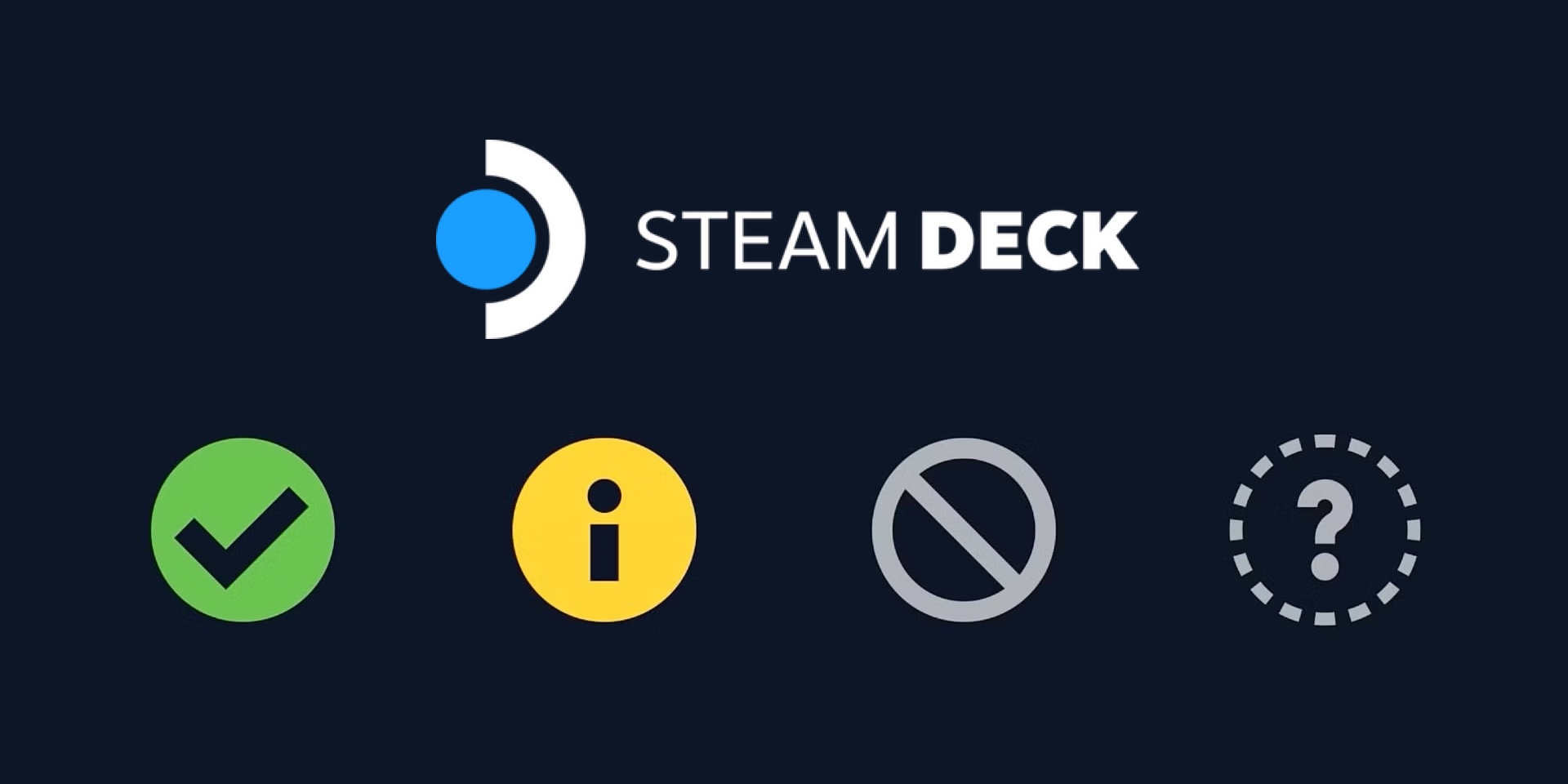
The Steam Deck Compatibility Program is genuinely useful, but it shouldn’t be the primary tool you rely on to judge whether a game works on the Steam Deck. The reality is that the system is often inaccurate and to paraphrase the great philosopher, Hector Barbossa: the categories are really more what you would call guidelines than actual rules. It’s split into four categories: Verified, Playable, Unsupported and Unknown, each with its own icon and implied level of confidence. In theory, it’s a great system and if it worked as intended it would easily be best in class. But to be fair, there are 100,000+ games on Steam and expecting Valve to thoroughly test every single one is not overly realistic. I’ll run through Valve’s official stance for each category and give my own take on how it holds up in the real world.
Anyway, onto the categories…
Verified

Verified carries the green tick and suggests that a game works great on the Steam Deck, right out of the box with no requirements for tweaking settings or controls and should be a seamless experience right from the time you click play. It will also have full controller support with matching input icons and automatically show the on-screen keyboard where required. It should support the default Steam Deck resolution (1280×800 or 1280×720), have good default settings and all text legible with those settings. If requiring the use of the compatibility-layer Proton, the game and all required software should have full support, including relevant anti-cheat support. There should be no compatibility warnings and if a third-party launcher is required, it will have full controller support. In theory, that all sounds unreal. But, it’s not perfect.
In reality, it’s a mixed bag. Valve has their definition of Verified, but what most users might consider “verified” in the real world is actually all over the place. Some of us are pretty happy tweaking settings, locking the FPS and accepting that switching Proton versions is just part of the deal. For others, if it doesn’t run perfectly out of the box without touching a thing, it’s not truly verified. That gap matters. The green tick doesn’t magically mean a game will be flawless, it simply means it has met Valve’s criteria. Whether it meets your own personal criteria is another story. Honestly, it’s probably impossible for Valve to account for wildly varying personal tolerances and I think that’s where the system kinda starts to fall apart. I don’t think that’s necessarily a knock on Valve, it’s more the reality of PC gaming being forcibly shoved into a console-like badge system. While the Steam Deck can be defined as a console, there’s a whole-ass PC in this thing. The Verified badge tries to simplify that complexity into a single icon and sometimes it works. Other times, it gives people a false sense of certainty.
Verdict:
Treat Verified as a starting point, not a guarantee. It’ll save you a lot of frustration.
Playable

Playable is a bit more ambiguous. This category suggests that some manual tweaking or extra effort will be required and this varies wildly from game to game. Usually it will meet some of Valve’s Verified criteria, but not all. The most common criteria that Playable games miss on is ‘all functionality is accessible when using the default controller configuration’. This roughly translates to the default controller configuration might be a bit janky, you’ll need to manually bring up the on-screen keyboard or use the touchscreen. Some other common misses are the in-game text being too small and some third-party launcher hiccups. Personally, I’d consider most of it pretty minor but essentially there will be some kind of barrier between mashing the install button and playing your game.
Depending on what you’re prepared to do, that barrier can range from mildly inconvenient to genuinely annoying. Some workarounds are quick and painless. Team Fortress 2 as an example, Valve’s own game, you’ll need to navigate the menu with the touchscreen or choose an alternate controller configuration. Sometimes these workarounds can stand as a reminder that the game you’re trying to play wasn’t designed with the Steam Deck in mind, which isn’t necessarily a bad thing. As with Verified, whether games in the Playable category feel acceptable is entirely up to your own tolerance. It’s passed most of Valve’s criteria, but just like Verified, it may not suit your own criteria. Honestly, if you don’t mind a little bit of setup or tinkering, a good portion of Playable games run absolutely brilliantly. But I guess if you go in expecting console-level simplicity, you’ll likely come away disappointed.
Verdict:
Playable likely means it’ll require a few minutes of effort. If five minutes of tinkering scares you, skip it. Don’t expect perfection.
Unsupported

Unsupported could actually be my favourite category of the four and easily the most misunderstood. To receive an Unsupported badge means that some or all of the game is not currently functional on the Steam Deck. There are a number of reasons a game lands here, but the short of it is that the game has failed to meet Valve’s main Steam Deck Verified criteria off the bat. A common barrier is anti-cheat software in multiplayer games not being supported under Linux. I guess Valve’s standards are fairly rigid, as the goal is for a console-like click and play experience. A good example is Grand Theft Auto V. The campaign actually runs perfectly fine, but Rockstar recently introduced a stricter anti-cheat system for GTA: Online which is not Linux compatible and that sunk the game to Unsupported. Since part of the game no longer works, it receives the grey badge of shame.
This is truly an interesting category. While I understand why some games sit here, it should not be treated as a death sentence. It doesn’t automatically mean that a game absolutely will not run on the Steam Deck. In most cases, it just means that Valve can’t guarantee a simple out of the box experience. As with Playable, if you’re willing to put in a little bit of effort there’s often a simple solution to get your game running. Sometimes, it can be as simple as swapping to Desktop Mode and installing a patch. ProtonDB is a top tier resource for community compatibility reports and setup advice. To shoehorn another example in, Quake III Arena is listed as Unsupported and I’ve recently poured hours into it on the Steam Deck. It took about fifteen minutes of research, downloading and applying a patch, adjusting the config file and setting up Steam Input to my liking. This is a relatively small time investment to replay an absolute banger. It’s not always that easy, but usually there is a reasonable solution.
Verdict:
Unsupported doesn’t mean it won’t run. It does mean that Valve won’t hold your hand. Do a little research, then dive in. Or don’t, I’m not a cop.
Unknown

Unknown is the simplest category of them all and probably the least dramatic. It means that the game hasn’t gone through Valve’s compatibility checks yet. That’s it. It hasn’t passed, it hasn’t failed. It simply hasn’t been put through the paces of Valve’s criteria. No hidden warnings, a simple grey question mark and a lack of official verification. Whether the game runs perfectly, needs tweaking or just doesn’t launch is anyone’s guess until someone actually tries it. Will it be checked soon? Uh… Maybe send Lord GabeN an email, I hear he’s actually fairly responsive.
Just like Unsupported, Unknown shouldn’t be treated as a death sentence. It may not have been run through Valve’s testing but that definitely doesn’t mean it’s not going to work. A lot of the time it simply means the game is older, more niche or not popular enough to have landed itself in Valve’s queue yet. Who knows? It might run perfectly the second you bash play. It could be just like a Playable title and needs a quick tweak or two. If you are even slightly comfortable in having a crack, this is where a bit of curiosity can go a long way. ProtonDB is your friend here and a quick search will likely tell you what to expect. At worst, you can refund the game within Steam’s window. At best? You discover that your game runs flawlessly and are baffled why it never got a badge in the first place.
Verdict:
Unknown means Valve hasn’t tested it. It doesn’t mean you shouldn’t.
The Steam Deck Compatibility Program isn’t a perfect system, but it is good nonetheless. It gives Steam Deck users a quick snapshot and a general level of confidence before they smash the install button and that absolutely has value. But the reality is that it shouldn’t be treated as the ultimate authority on what does and doesn’t work. The badges are definitely helpful, but they’re certainly not definitive. The Steam Deck is a full-blown Linux PC at its core and some of the fun is figuring out what else it can do. Seriously, get stuck in and try things for yourself. Deep-dive through ProtonDB. Tinker around. If you get stuck, look to the community for advice. Chances are someone else has run into the same issue and already solved it. Use Valve’s system as a guide, not a reason to write a game off. You’ll get far more out of your Steam Deck.



Leave a Reply