
If anyone told me when I first bought my Steam Deck that I’d be using it in any other way than handheld I’d probably have said something along the lines of ‘what utter rubbish’. For the first few months, it didn’t really leave my hands. As time ticked away, I started realising how incredibly versatile the Steam Deck is. Underneath the black plastic shell is a full-blown Linux PC. That opens up far more than just handheld gaming. Of course, you have the default handheld experience, but you can also stand it up in tabletop mode and pair it with a Bluetooth controller or keyboard and mouse. You can set it up on a desk with a USB-C hub or dock and suddenly you have a small desktop PC with the option of outputting to a monitor with a full set of peripherals. Or you could dock it to a TV and treat it like a home console. It’s just a little ridiculous how many different ways you can use a Steam Deck and it tackles them all so well. It makes it feel less like a handheld and more like an all-in-one system that just happens to be packaged in a handheld form factor.

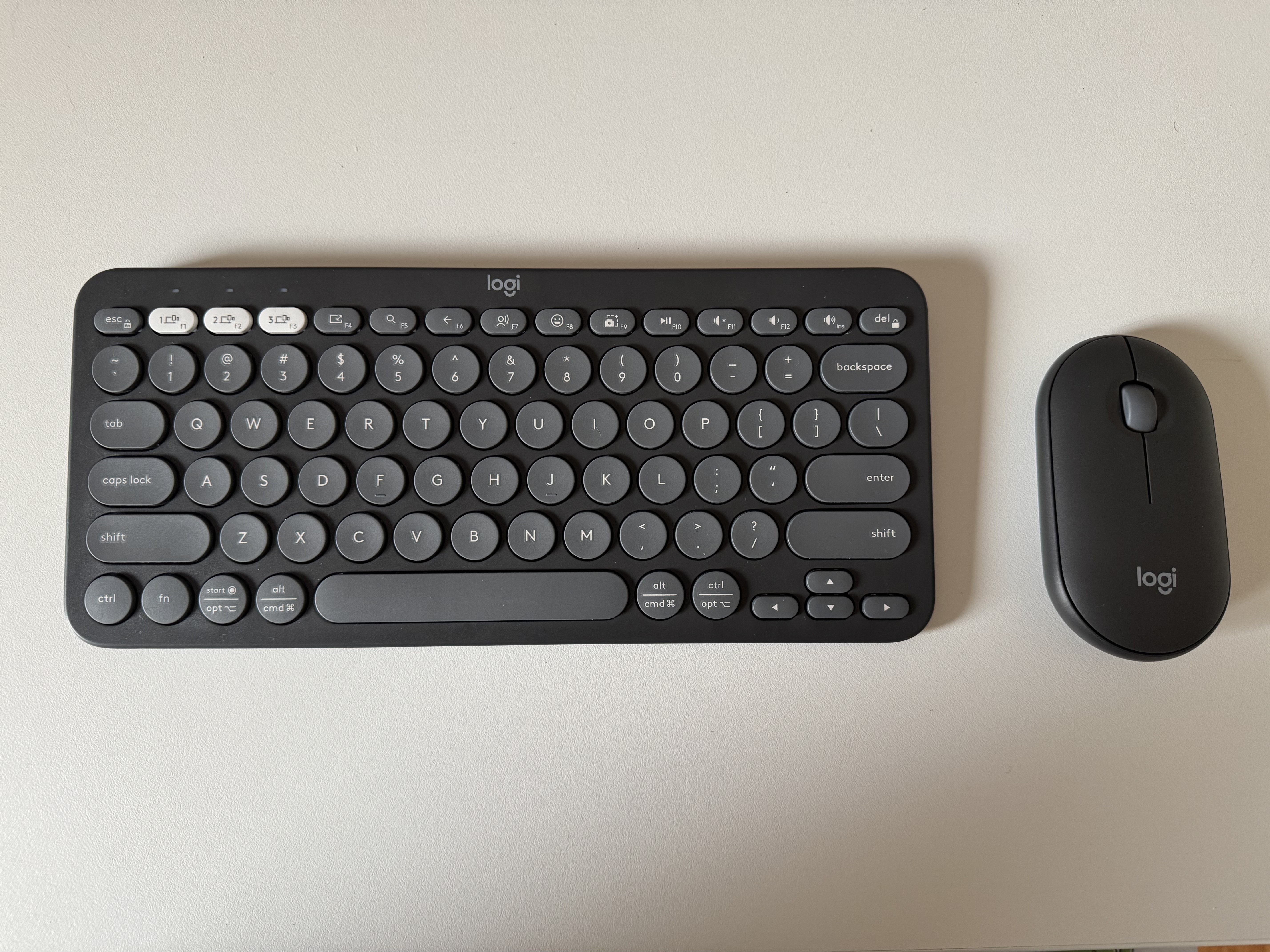
I typically write posts at home on my MacBook Pro from whatever location I feel like at the time. This could be at my desk, on the couch or in bed at night. If I’m heading out for work or traveling with the family, I really don’t like to lug multiple devices around with me. It’s more to carry, but knowing myself it’s more to lose or leave behind. Being that the Steam Deck is a Linux PC, I figured I could use it as more or less a laptop to write and edit my posts. To make that setup a little more portable-friendly, I purchased a Logitech Pebble 2 Combo Keyboard and Mouse. Both the mouse and keyboard connect via Bluetooth, which is a huge plus. It means no extra cables, dongles or USB receivers to worry about. Just pair them, then switch them on and they’re good to go. I’m pretty impressed with both the keyboard and the mouse, especially in terms of portability. They’re small enough that I’m really not lugging a whole lot of extra equipment with me. If I’m at work for example, it’s easy enough to stack the keyboard on top of my Steam Deck carry case, pocket the mouse and plonk myself down at whatever table I can find. I boot into desktop mode and I’ve got everything I need to write comfortably. Despite being on the smaller side, both the keyboard and mouse are substantial enough for me to write out an entire post away from home. The Steam Deck makes for a versatile mobile workstation.

The Logitech Pebble 2 Combo includes the K380s keyboard and the M350s mouse. Both have clearly been designed with portability in mind featuring a slim and lightweight profile that makes them easy to carry and set up just about anywhere. Logitech has included the ability for multi-device pairing for both the keyboard and mouse, which allows you to connect them to up to three devices and switch between them at the click of a button. So far I’ve only paired them with the Steam Deck. The M350s does include a USB receiver which tucks away neatly inside itself. I have used the mouse on my home server which has been very handy at times. It is worth noting that the K380s keyboard is Bluetooth–only which may be a deal-breaker for some. The K380s is obviously not full-sized and is built for portability. Surprisingly, I’ve still found it comfortable for longer writing sessions. The keys have a, who would have guessed, rounded pebble-like shape to them and I find the travel is solid enough to avoid that shallow, unsatisfying feeling you can encounter with other compact keyboards. I’ve written a handful of posts with it and edited several others and honestly this keyboard holds up really well for day-to-day writing. The M350s follows the same design being small, minimalistic and built for portability. I have fairly big mitts, so I had my doubts whether it’d be usable for extended periods. I’ve been using it while writing and it’s held up pretty well with some strategy games like Warcraft 3 during my run of Rise of the Blood Elves and Civilization VI. It’s definitely basic, no extra buttons or fancy features but it tracks well, feels solid and handles surprisingly well for something of this size.

The Logitech Pebble 2 Combo will set you back somewhere between $85 and $105 AUD, depending on where you purchase it. At time of writing, the Pebble 2 Combo is on sale on Amazon for $85. I reckon that’s a pretty solid deal considering what you get. It’s well-designed and built with portability in mind, it also doesn’t feel cheap despite its compact size. The combo is available in a handful of different colours which is also a nice touch. I went with the safe bet in Graphite, this is a pretty standard mix of black and dark grey. There’s some more interesting options like white, blue and pink if you’re after something a bit more vibrant. I’m a pretty basic bloke, so I tend to go for the more understated tones. That is until my daughter has her say and I end up with nothing but pink accessories. The Logitech Pebble 2 Combo has proven to be a pretty solid travel companion. Pairing it with the Steam Deck, it’s helped turn a handheld gaming console into a surprisingly capable portable workstation. It’s not going to give you the feel of a high-end mechanical keyboard or feature-heavy gaming mouse. But for what it is, it’s pretty hard to fault. Paired with the Steam Deck it’s honestly one of the more genuinely useful and versatile portable setups I’ve ever tossed into a backpack, and I’ve packed some weird stuff in there over the years.



Leave a Reply