Please keep in mind, this is all my own opinion and personal preference. Yours may differ and that’s OK.
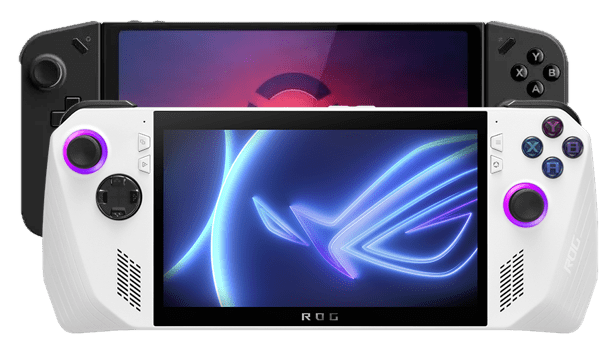
After a lot of extensive research, I obviously landed on the Steam Deck for my handheld of choice. But why didn’t I go with one of the other handheld options out there? Well, I nearly did, but Dad with a Legion Go just doesn’t quite have the same ring to it. Before I made my purchase of the Steam Deck OLED, I cut my shortlist down to three: the Lenovo Legion Go, the ASUS ROG Ally and of course the Steam Deck. Each had its own appeal, with the Legion Go and ROG Ally offering higher resolution screens and more raw power and compatibility with Windows under the hood. But neither the Legion Go and the ROG Ally felt quite right for me. I researched all three of those bad boys for weeks to months to probably nearly a year. My wife was probably sick to death of coming home to find out I’ve landed on yet another different handheld. Or flip-flopped back to the previous one. You see, my wife was quite vocal about the subject of the handheld. When are you going to shut up about the handheld? Why aren’t you shutting up about the handheld now? And so on. So please, the shutting up. I probably drove her mad.
Honestly, when I first started researching I thought I was going to end up with the Legion Go. It’s got that big QHD screen, a hefty battery and those somewhat gimmicky but weirdly appealing joy-con style controllers. This thing is powerful too, paired with a massive 8.8-inch display with a 2560×1600 resolution at refresh rate of 144hz it really sounds like an easy deal. Oh, it even has a trackpad which definitely appealed to me. But as I looked deeper, a few issues started to stand out. That bigger battery doesn’t exactly translate to better battery life. That high refresh rate? I would probably end up capping it at 60hz, or maybe 120hz, to save power. While I can’t speak from experience, I have read the ergonomics aren’t great due to the cut of the device. But obviously I can’t confirm that.
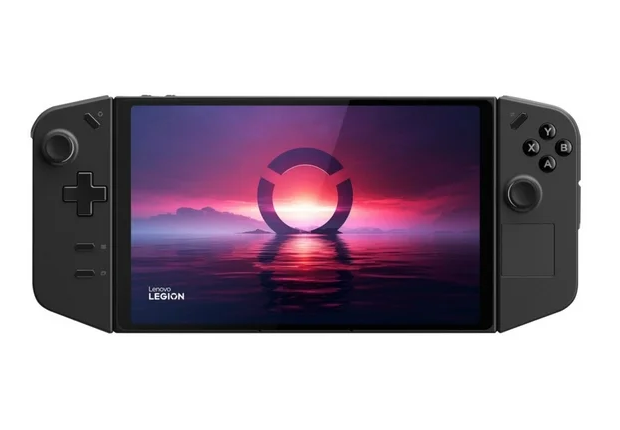
The Legion Go runs Windows 11 with Lenovo’s own Legion Space software layered on top. From the get-go, I had a feeling that it just wasn’t quite going to deliver the experience I wanted. I was looking for console-like, with a focus on ease of use. There seemed to be too many compromises and workarounds to make it a smooth and cohesive experience. As for Legion Space itself, from what I’ve read it’s pretty abysmal. I know it could be worked around with something different like Playnite. However, having to workaround the provided and intended software seems just a bit shit to me. The lack of quick resume out of the box is also disappointing. I’m a Dad, unsurprisingly I use this feature all the time. Sure, you can get something fairly close with Windows hibernation or sleep settings, but it’s just not the same as a proper quick resume experience. There is also the prospect of removing Windows and installing Bazzite or SteamOS, and I’m sure either is a great experience. But If I’m buying a brand new device, I don’t think I should have to wipe it and replace the OS entirely. It should work how I want right out of the box. Shame, really.
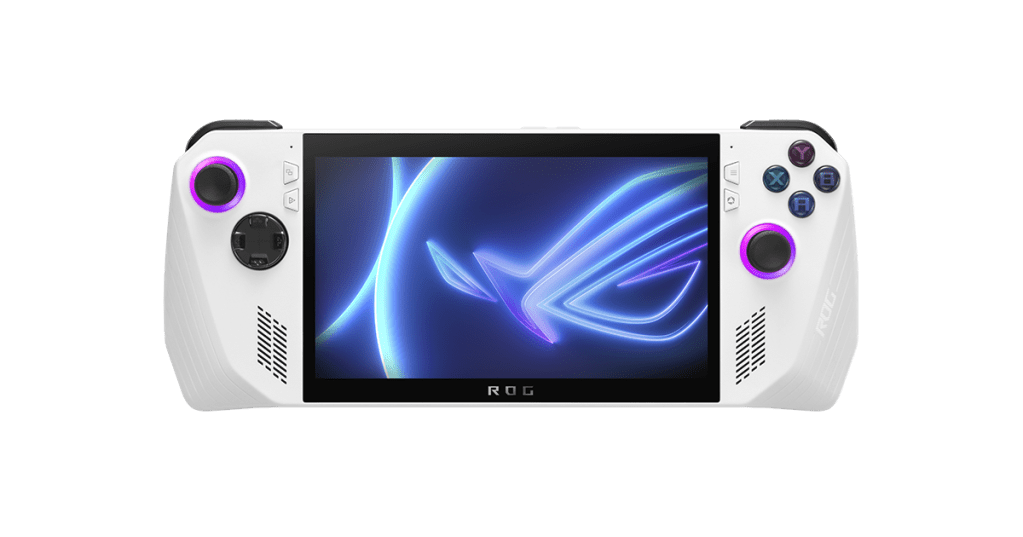
Next up, the ASUS ROG Ally. This thing looks like it’d fit great in my hands. It’s powerful and the screen, while LCD, is among the best out there and at 120hz with Variable Refresh Rate I can see why. The Ally delivers excellent performance with the Z1 Extreme chip, no doubt about that. But battery life from what I understand isn’t great if you’re using it as intended, as a portable gaming device. Then there’s the software. ASUS’ Armoury Crate, much like Lenovo’s Legion Space, is reportedly awful. It also runs Windows 11, so I’d run into the same limitations I had with the Legion Go. Basically, just swap out Legion Space for Armoury Crate, remove the trackpad and you have the same story. Again, shame.
One of the big benefits of Windows-based handhelds is their ability to play games with anti-cheat software. Some of these games just don’t run on Linux or Mac for multiplayer and some just don’t run at all. Personally, I don’t really play any games that rely on anti-cheat, but I definitely understand the appeal portable Call of Duty. Hell, I even had a blast playing COD: Mobile not that long ago on an Ayn Odin Pro. Another major plus is the ability to use all game stores and launchers right out of the box. Steam, GOG, Epic – you name it. Install them and go go buffalo.
The big deciding factor for me personally really came down to Windows 11 and the manufacturer’s software offerings. These handhelds are, in very simple terms, a high-powered tablet inside a big controller casing. Yeah, I know they’re just tablets – but you get what I mean. The user experience is critical here. Both Microsoft and the manufacturer have to adapt to the platform they aim to serve. In this case, it’s meant to be a portable console. They need to deliver a seamless console-like experience. Until that happens, I don’t think I commit to a Windows handheld.




 Dad with a Deck
Leave a comment